How do you stop the daily screen time fight?
Make the agreement before the game starts, including what counts as done and when time ends.
Read the guideA little adventure. A clearer family routine.
Write the day’s chores in one sentence. Your child’s pet guards the apps you choose until the quests are done and checked.
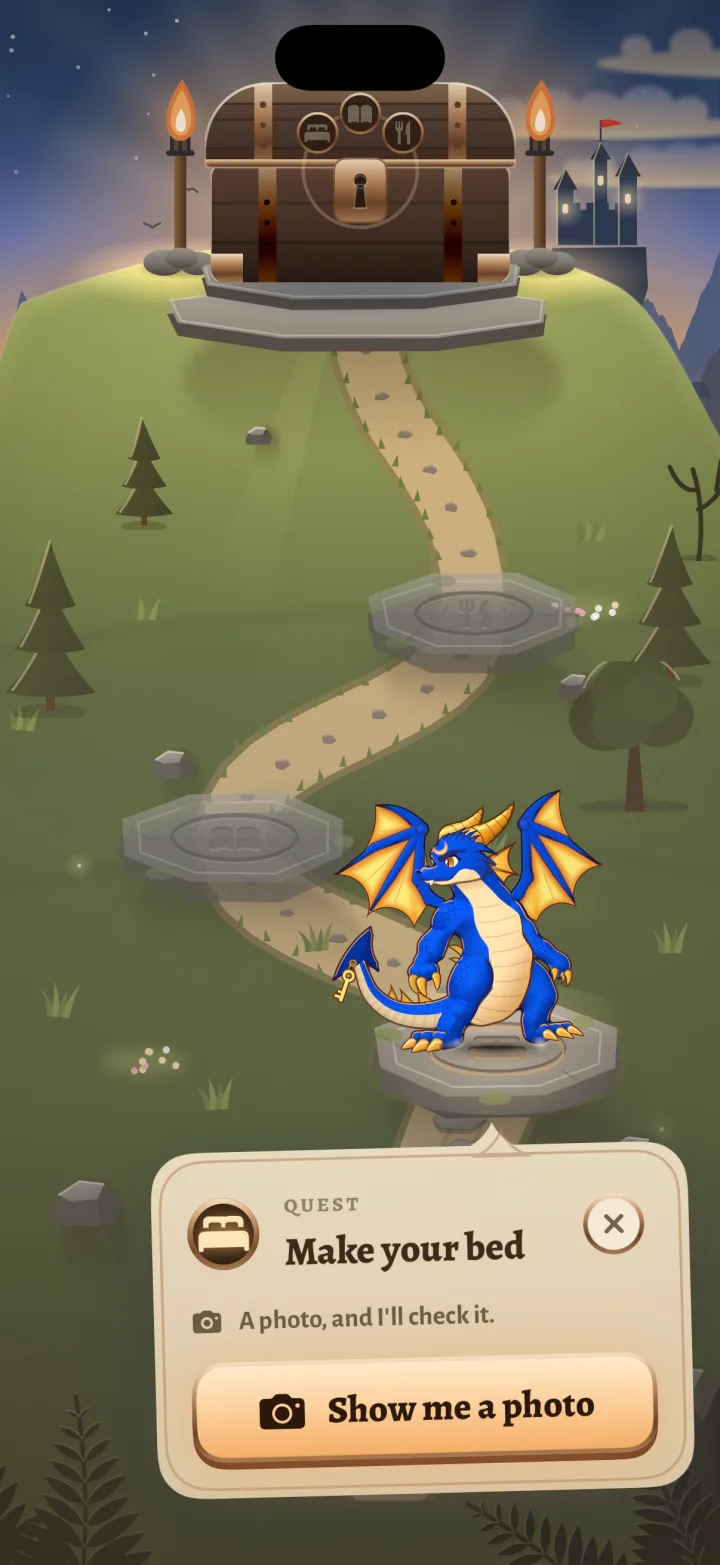
A photo shows the work. You get the final say.
Coming to iPhone for parents. Email sign-ups open soon.
iOS 26+ on both phones. Child Apple Account + Family Sharing required.
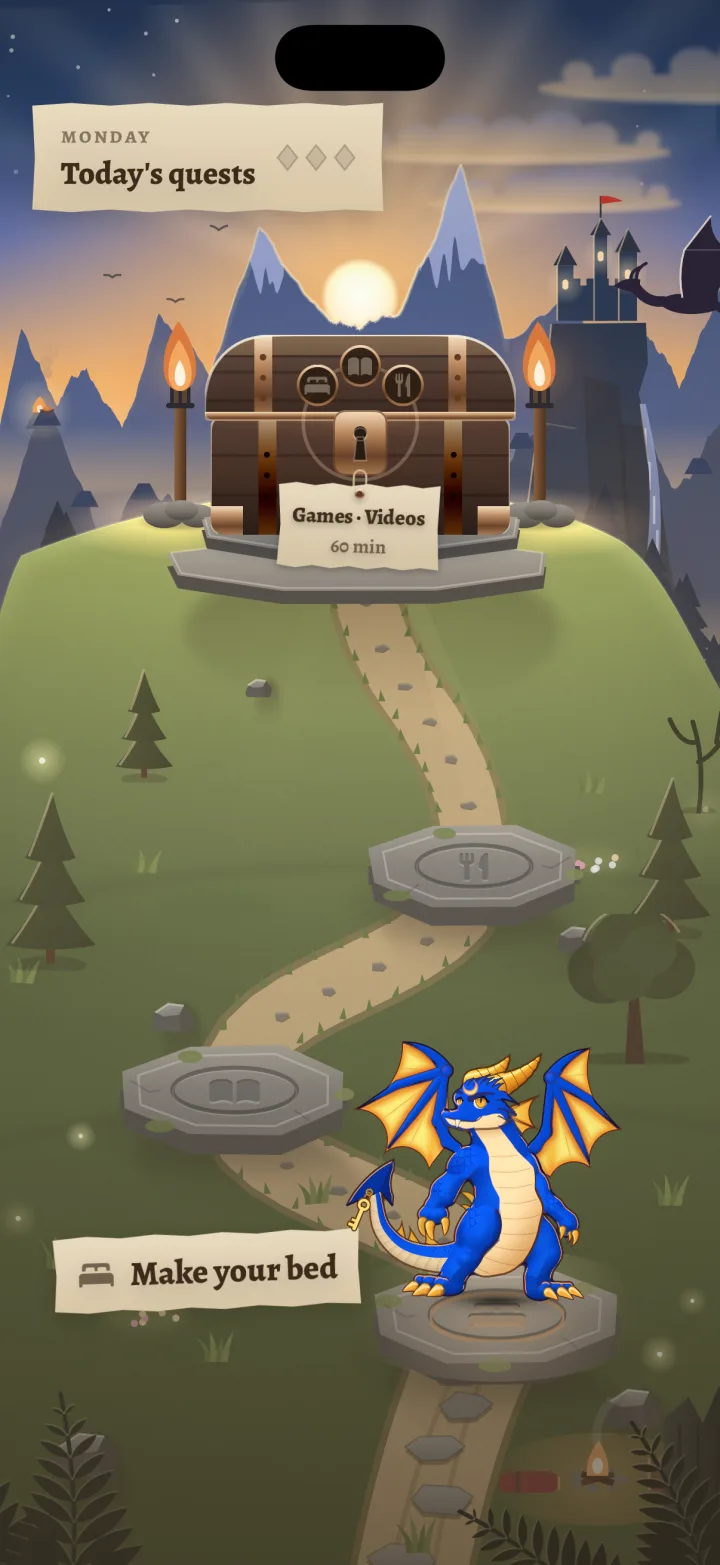
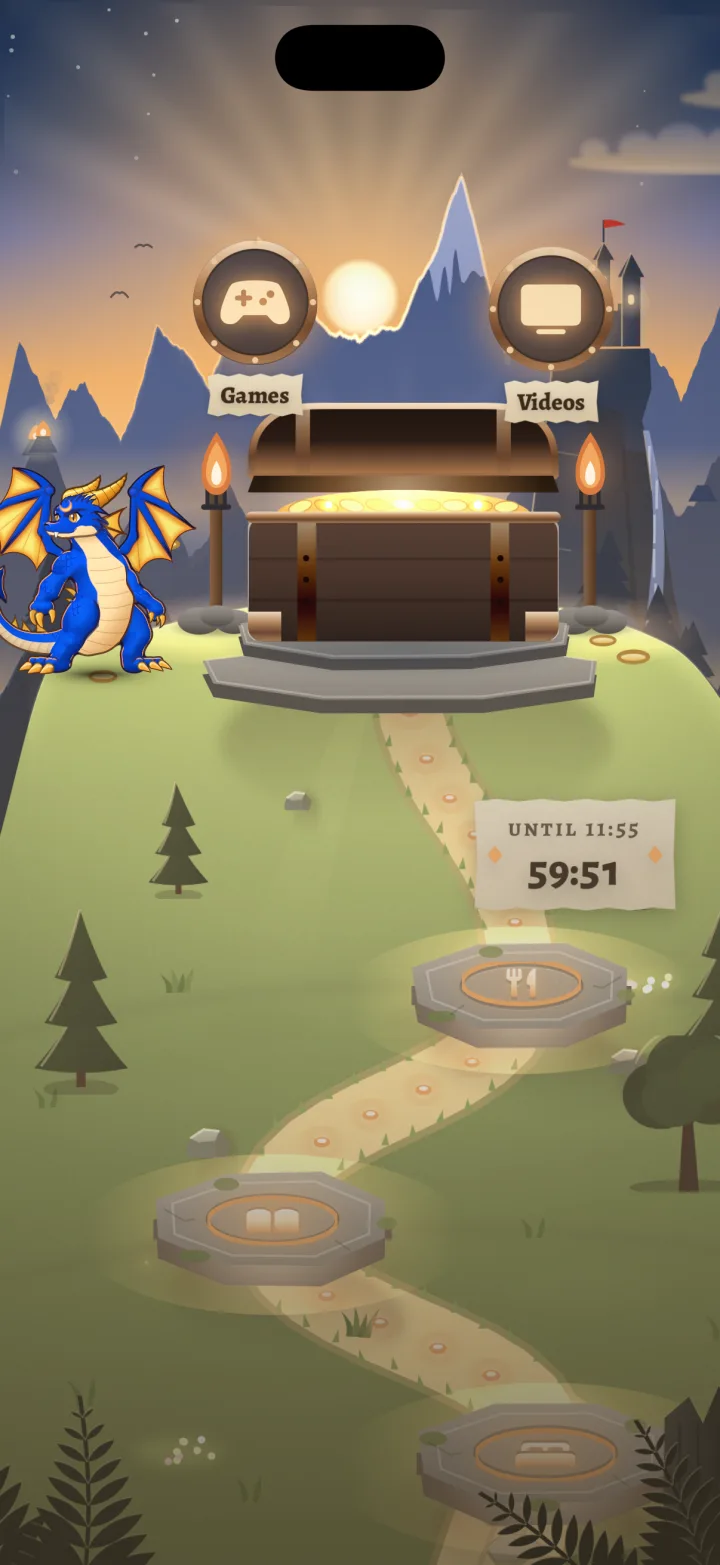
Real app previews, with Wick, the lantern dragon.
From your sentence to their adventure
Start with the things that need doing today. Dragonlock gives them a place on the trail, and makes the finish line clear.
Make your bed, feed the cat, read for 20 minutes.
Type or dictate a sentence on your iPhone.
Review the chores and choose the days they repeat.
Chosen apps wait behind Apple’s Screen Time lock.
Photo checks help. Anything unsure comes to you.
Finish the day’s quests. Apps open for the time you set, then lock again.
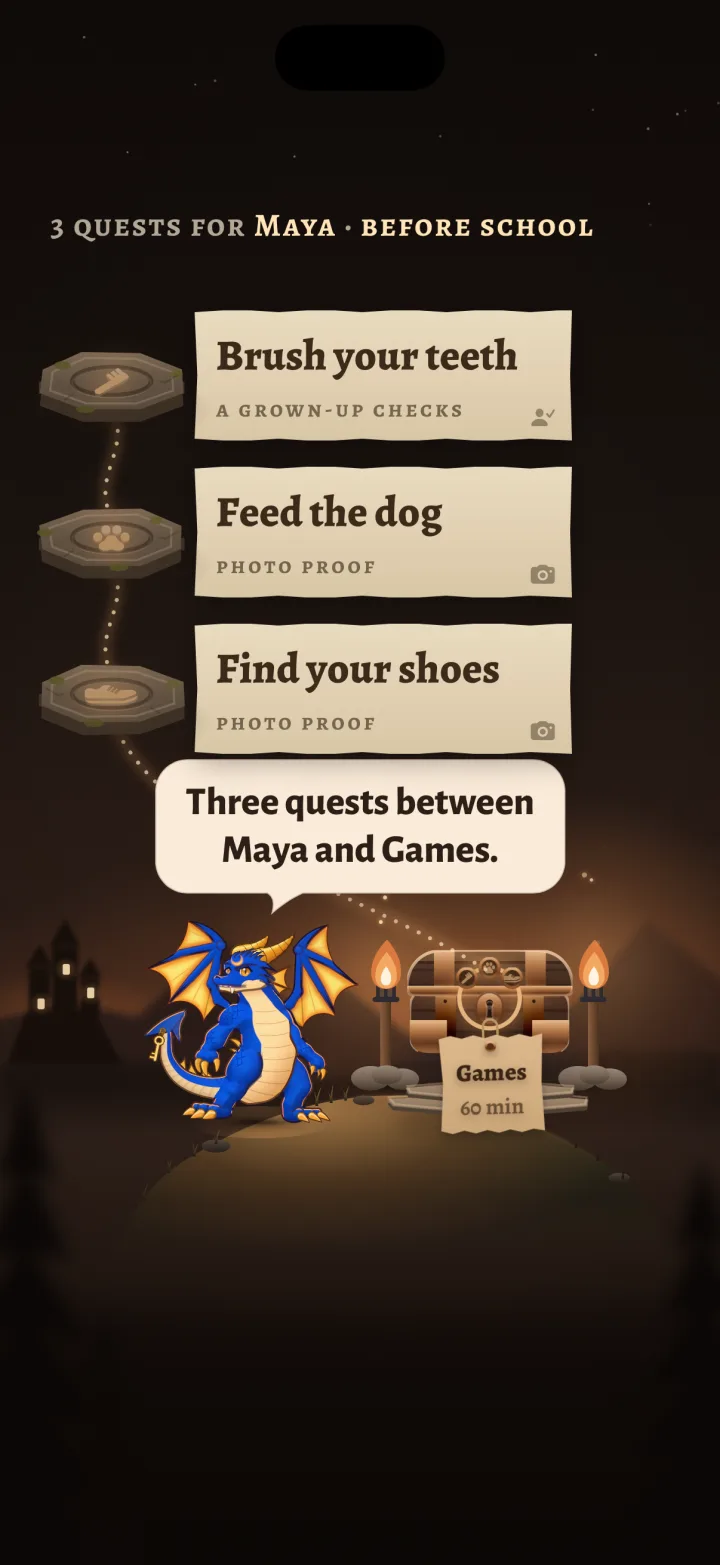
The rules are yours
With your permission, the AI helper checks the photo against the quest. Clear passes can count straight away. An unsure answer comes to you.
A world worth coming back to
A pet on the trail. Runes lighting as quests are finished. A brass-bound chest opening when the work is done.
Your child gets an adventure. You get a view of what’s finished, what needs checking and how much time you’ve agreed on.
One family subscription covers up to four children, each with their own quests and pet.
Read the parent’s field guide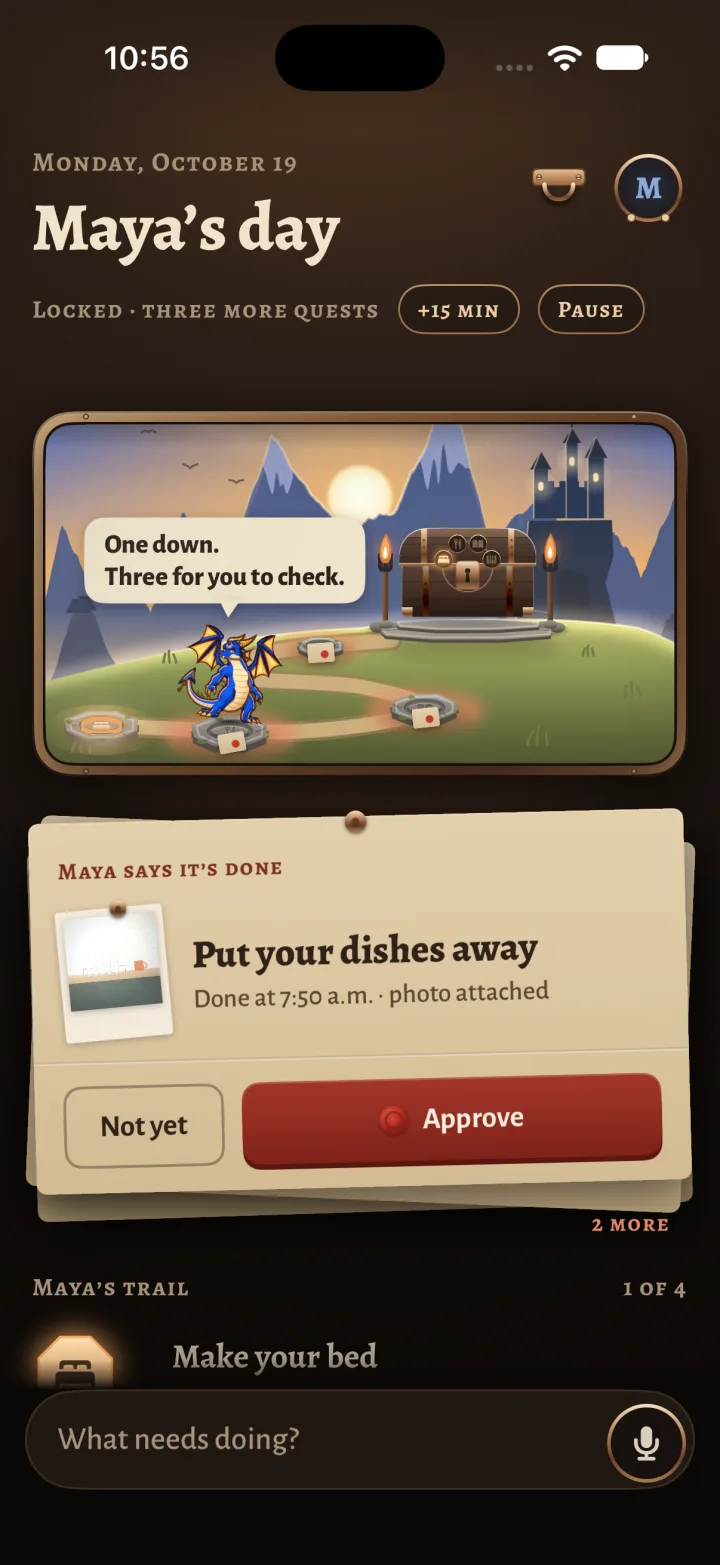
One family. Up to four children.
Every plan includes quests from a sentence, photo checks, the pet and the link between your phones.
Yearly
$49.99/ year
Billed once a year.
Monthly
$14.99/ month
Billed each month.
Weekly
$7.99/ week
Billed each week.
Planned US prices in USD. No free trial. Subscriptions renew automatically unless cancelled at least 24 hours before the period ends. Local pricing is shown in the app before you buy. Manage or cancel in your Apple Account’s Subscriptions settings.
You’ll need your iPhone and your child’s own iPhone, both on iOS 26+, with iCloud on. Your child needs a child Apple Account in your Family Sharing group. V1 supports one parent phone.
Before the adventure
Your iPhone and your child’s own iPhone, both on iOS 26 or later and signed in to iCloud. Your child needs a child Apple Account in your Family Sharing group. You approve Screen Time on their phone with your Apple Account. Android is not supported.
Yes. Dragonlock’s parental controls use Apple’s Screen Time through Family Sharing. Your child must be signed in to their own child Apple Account, not yours. Set this up before subscribing. The field guide walks you through it.
With your permission, Claude, an AI by Anthropic (or sometimes Cloudflare Workers AI), checks a quest photo and its title. Clear passes can count automatically; unsure or failed checks come to you. AI can be wrong. You can require your approval for every photo, or turn the AI helper off entirely. Quests a photo cannot prove, such as reading for 20 minutes, need your confirmation.
Family data lives on your devices and in your family’s iCloud. If you allow the AI helper, photos are also processed by Anthropic (Claude) or Cloudflare (Workers AI), and quest text by TypeSafe (Jev), through our checker on Cloudflare. Photos expire after 7 days and are removed when Dragonlock next runs and syncs; expired photos are not shown again. There are no ads or cross-app tracking. Optional anonymous usage sharing is on the parent’s phone only. Read the privacy policy for the full details.
Existing Screen Time restrictions keep working. Photos wait on your child’s phone for a connection, and parent changes wait to sync. A new approval or extra time cannot reach an offline phone immediately. Keep both phones connected when you need a change to take effect.
The planned US prices are $49.99 per year, $14.99 per month or $7.99 per week. One subscription covers up to four children. There is no free trial. Plans renew automatically unless cancelled; local prices are shown before purchase. The subscription covers Dragonlock’s quests, photo checks, pet and family sync.
Yes. You can pause for a sick day, set free days, give bonus minutes and answer requests for more time. You choose which apps are guarded and how long the chest stays open. Dragonlock is a routine tool, not a safety or monitoring service.
V1 has one parent phone managing the family. A second parent cannot approve from a separate phone yet. Each child has their own device, quests and pet.
Cancel in your iPhone’s Settings, under your name, then Subscriptions. You keep access for the period you paid for. When membership ends, after any applicable billing grace period, Dragonlock releases its app restrictions. Deleting the app does not cancel the subscription.
More detail in the field guide and privacy policy.
The next chapter
Get an email when Dragonlock is ready for your family. No payment, no commitment.
For parents and guardians. Please use your own email address.
For the real world outside the quest
Make the agreement before the game starts, including what counts as done and when time ends.
Read the guideA practical checklist for parents: the right account, the right limit and a real test on the child’s phone.
Check your setup